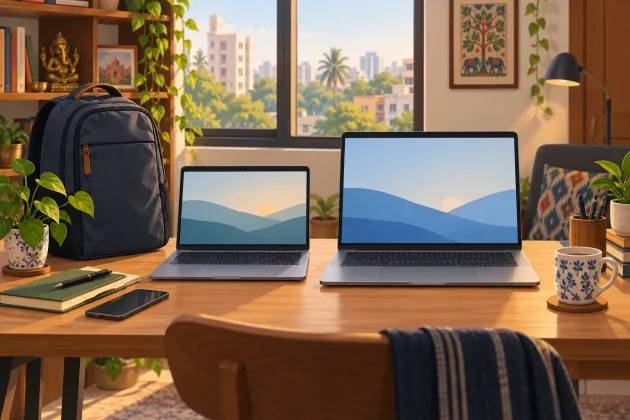
The uncomfortable truth is that the AI badge will not make a mediocre laptop screen easier to stare at for eight hours. A larger number on the lid will not make your commute shorter either.
For the current ASUS Vivobook 14 X1404MA and Vivobook 15 X1504MA families, the decision is mostly physical: take the lighter machine when you carry it often, or take the larger canvas when it stays on a desk. Everything else starts with the exact suffix on the box, because the family pages contain several processor and memory configurations.
The comparison must start with the model code
“Vivobook 14” and “Vivobook 15” are family names, not complete specifications. ASUS lists older and newer variants together, so two shop listings with nearly identical titles can hide different processors, RAM arrangements and wireless cards. Compare X1404MA with X1504MA, then compare the full SKU after the hyphen. If the seller will not show that code, do not treat the listing title as a specification sheet.
A sensible matched pair uses the same class of processor, the same RAM amount and the same storage capacity. That isolates the choice you are actually making: portability against workspace. Comparing a low-memory 14-inch configuration with a better-equipped 15-inch one tells you which configuration is faster, not which size suits you.
Save the official specification page and the invoice before checkout. Marketplace copy gets truncated, and a photograph of a keyboard is not proof of the memory layout hiding underneath it. This is especially important when the laptop may become the household machine for classes, forms, video calls and the occasional emergency spreadsheet.
Pick the screen you can live with
ASUS specifies a 35.56 cm Full HD display for the X1404MA and a 39.62 cm Full HD display for the X1504MA; both are listed at a 60 Hz refresh rate. The larger panel gives you physically bigger text and controls, but not extra pixels. It is roomier, not sharper.
Choose the Vivobook 15 if your day is mostly two documents side by side, long spreadsheets or a browser beside a video call. That extra physical area reduces the urge to keep shuffling windows. It also makes sense for a shared family laptop that moves between a table and a cupboard rather than between home and college.
Choose the Vivobook 14 if the machine travels on buses, in crowded local trains or across a campus. The X1404 family is listed at 1.40 kg, while the X1504 family is 1.70 kg. Three hundred grams sounds trivial on a product page. Add the charger, a water bottle and a badly organised backpack, and your shoulder gets a vote.
Do not confuse screen size with screen quality. The official family sheets establish size, resolution and refresh rate, but those lines alone do not tell you whether a particular panel has the brightness or colour coverage your work needs. If you edit photographs, design slides for clients or work near a bright window, inspect the exact SKU in person or find a reputable test of that precise panel. Buying the larger weak panel only gives you more weak panel.
The larger body does not bring a larger battery
ASUS lists a 42Wh, three-cell battery for both families. That kills the easiest sales-floor assumption: the 15-inch chassis does not automatically buy you more rated battery capacity.
Capacity is not runtime. The display, processor behaviour, brightness, video calls and background apps all change how long a charge lasts. With no matched independent runtime test for these exact configurations in this comparison, a precise hours claim would be theatre. Plan around your actual day instead.
If you spend most of it near a wall socket, either size is manageable. If you move between lectures or client sites, the lighter model is the cleaner bet because you are not receiving a bigger battery in exchange for the extra weight. Keep the charger in your budget and check whether the sockets at your usual desk work before discovering that everyone else had the same idea.
For a laptop that lives through summer heat and dusty rooms, airflow matters too. Use it on a hard surface, keep the vents clear and do not turn a bed into an insulating blanket. That advice is less glamorous than an AI demo, which is precisely why it may save the machine.
The AI sticker has limits
The Core 5 320 configurations on both official family pages list an Intel NPU rated at up to 16 TOPS. Microsoft says many new Windows AI features require an NPU capable of 40+ TOPS for the Copilot+ PC class. In plain English, an NPU and a Copilot key do not automatically make either of these configurations a Copilot+ PC.
That does not make the NPU useless. It makes the label a poor reason to choose between these two sizes. Buy for the work you already do: browser tabs, Office files, coding tools, calls and media. Treat any local AI feature as a bonus only after the seller demonstrates that exact feature on the exact SKU.
Ask a brutally simple question: which task will the AI hardware shorten for you this month? If the answer is a cloud chatbot you already open in a browser, the laptop badge has solved nothing. I too would enjoy buying a sticker and receiving several free hours every Friday, but the supply chain remains stubborn.
Upgradeability and ports need a SKU check
Both official family sheets list one M.2 2280 PCIe slot and one DDR5 SO-DIMM slot for the MA variants. The wording says expansion slots “includes used”, so do not assume either slot is empty. A slot occupied by the factory drive or memory module is still a slot, just not a free upgrade waiting for you.
The basic listed port layout is also the same: two USB 3.2 Gen 1 Type-A ports, one USB 3.2 Gen 1 Type-C port, one USB 2.0 Type-A port, HDMI 1.4 and a 3.5 mm audio jack. More chassis does not mean a better port selection here. The Type-C line on these family sheets states data speed, not charging or display output, so do not buy a one-cable dock on hope.
Before paying, get the seller to write the installed RAM, whether it is soldered or socketed, the SSD capacity and the full model code on the quotation. If you plan to keep the laptop through college or pass it to a sibling, serviceable memory and storage are worth more than a launch-week software bundle. Also check the nearest authorised service point from your PIN code; a warranty is less comforting when the practical route involves a day off and an intercity bus.
The 15-inch model wins only when its bigger screen or keyboard deck improves your daily work. It does not win merely by being larger. The 14-inch model wins when movement is routine, but it is the wrong choice if you will spend every evening leaning towards a cramped display.
What to actually do
- Write down the full SKU for each shortlisted laptop, not just the family name.
- Match processor, RAM and storage before comparing the two sizes.
- Open your usual spreadsheet and two browser windows on each display in a shop.
- Carry the laptop and charger around the store before choosing the lighter bag or larger workspace.
- Demand written confirmation of the panel, installed memory and Type-C functions before paying.