![Zed vs VS Code: Why 4.3 Million Indian Developers Are Switching [Speed Test 2026]](https://techdodo.in/storage/articles/zed_vs_vscode_1767428515_6958d1a3714e9_medium.webp)
VS Code is the new Eclipse.
Quick Answer: Zed Editor is a free, open-source Rust-powered code editor that starts 10x faster than VS Code. Best for developers prioritising speed. The catch: Zed's ecosystem is still maturing—some workflows need configuration VS Code handles automatically.
That's not hyperbole—developers are saying this across Reddit threads, Discord channels, and increasingly hostile Twitter debates. VS Code with extensions routinely consumes 2-3GB RAM. That's not a code editor. That's Chrome with syntax highlighting.
Here's what nobody's discussing. While Western developers debate editor choices from their M3 MacBooks, 4.3 million Indian software engineers—the world's second-largest developer population—make this decision on hardware where every megabyte matters.
Enter Zed. Built in Rust by Atom's creators. Opens 5GB logs like text messages. Starts in 0.12 seconds while VS Code loads its splash screen. And it's completely free.
So why isn't everyone switching?
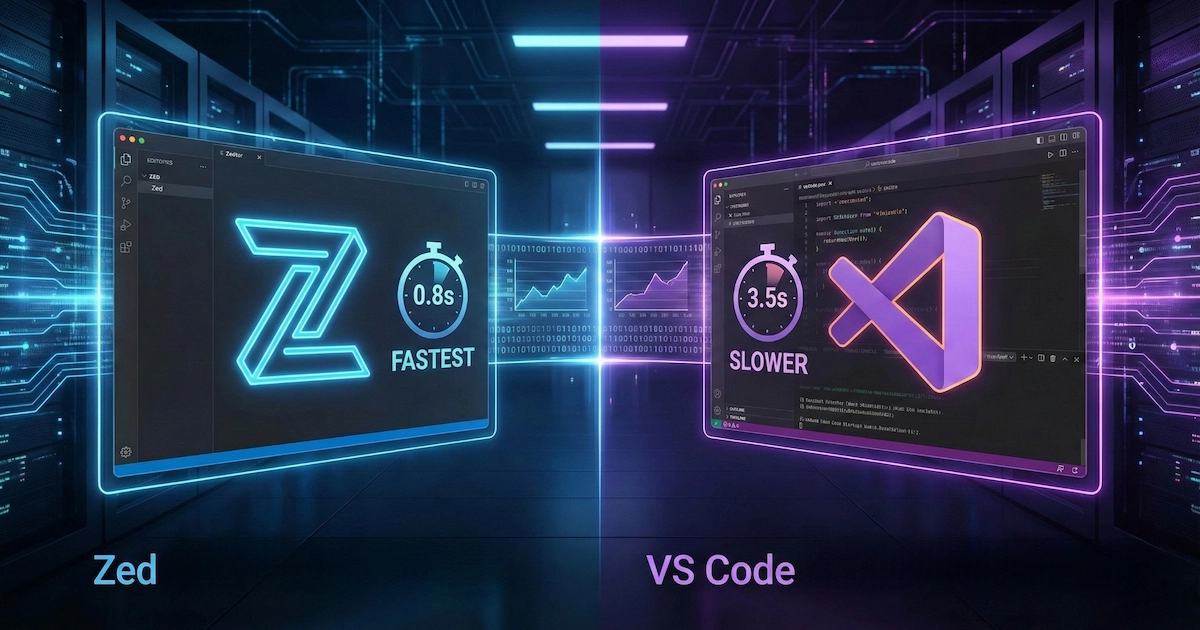
The Performance Gap Is Embarrassing (For Microsoft)
The benchmarks don't lie:
Metric | Zed | VS Code |
Cold startup | 0.12s | 1.2s |
Large project (10k+ files) | 0.25s | 3.8s |
Opening 50MB file | 0.8s | 3.2s |
RAM (with extensions) | ~200MB | 1-3GB |
Zed achieves this through GPU acceleration via custom GPUI framework, rasterising the entire window natively. VS Code, built on Electron, is essentially a web browser running a code editor. Every keystroke travels through layers of JavaScript abstraction.
Here's the catch. These benchmarks matter most when your hardware isn't cutting-edge. For Indian developers on 8GB laptops—still common in tier-2 cities and freelance setups—the difference between 150MB and 2GB isn't academic. It's productive coding versus waiting for your machine to respond.
What Zed Actually Gets Right
Native collaboration that just works. Unlike VS Code's duct-taped Live Share extension, Zed's real-time collaboration is built in. Invite someone to your project and they're editing in seconds. No sign-ins, no extensions, no coordination issues. For distributed Indian teams working across time zones, this removes genuine friction.
Free AI integration. Claude Sonnet 4 included free—no API keys required. You can also connect GitHub Copilot, Ollama for local models, or OpenAI. The AI assistant lives in a plain text interface that feels natural rather than intrusive.
Edit prediction that anticipates your code. Powered by Zeta, their open-source language model, Zed predicts entire code blocks you're about to write. It's not just autocomplete—it's contextual prediction.
Proper Vim mode. Full modal editing with text objects, marks, and semantic integration—not an afterthought.
The Dealbreakers (Read Before Switching)
Extension ecosystem is nascent. VS Code has thousands of extensions; Zed has 500+. If your workflow depends on specific VS Code extensions—particularly for niche frameworks—verify alternatives exist first. Developers who can't migrate because PlatformIO or specialised tools don't exist yet are a real phenomenon.
Python requires configuration. VS Code's Pylance works immediately. Zed with basedpyright and Ruff matches it—but you'll configure LSP settings, disable auto-import completions (which tank performance), and set up virtual environment detection manually.
Debugging is improving but incomplete. Zed launched native DAP debugging in 2025 for Rust, C/C++, JavaScript, Go, and Python. But watch windows, stack trace views, and data breakpoints remain limited compared to VS Code.
No settings sync. Unlike VS Code's Microsoft account synchronisation, Zed has no official settings sync solution.
Is Zed Better for Python Development?
The honest answer: depends on your setup tolerance.
VS Code with Pylance delivers excellent autocomplete, type checking, and debugging out-of-box. Open a project, VS Code finds your venv, everything works.
Zed requires deliberate configuration: install basedpyright extension, add Ruff for formatting, configure settings.json with language servers and Python paths, disable autoImportCompletions for acceptable performance.
Once configured, Zed works—but the team acknowledged gaps by publishing "Making Python in Zed Fun." If you want zero-configuration Python, VS Code remains safer.
Who Should Switch?
Switch to Zed if:
- Speed matters more than extension polish
- Resource-constrained hardware (8GB laptops)
- Frequent collaborative editing or pair programming
- JavaScript/TypeScript, Rust, or Go primary languages
- Comfortable configuring development environments
Stay with VS Code if:
- Workflow depends on specific unavailable extensions
- Advanced debugging features essential
- Zero-configuration Python setup preferred
- Jupyter notebooks used extensively
Common Questions
Windows support? Yes—Windows, macOS, Linux all supported since late 2024.
Truly free? Core editor completely free and open-source. Optional AI features: $20 USD/month (~₹1,700).
GitHub Copilot works? Yes, alongside Claude, Ollama, Gemini, and OpenAI integrations.
Arch Linux installation? AUR: yay -S zed-editor. Requires Vulkan-compatible GPU drivers.
The Verdict
Zed is legitimately impressive—and legitimately incomplete.
If VS Code's increasing bloat frustrates you, Zed offers something genuinely different. The speed isn't marketing hype. Collaboration features solve real problems. AI integration feels thoughtful rather than gimmicky.
But switching isn't free. You'll spend time configuring what VS Code handles automatically. You'll discover workflows needing adjustment.
My recommendation for Indian developers: Download Zed. Spend a weekend with it on a real project. Feel the performance difference firsthand. Then make an informed decision about whether trade-offs work for your situation.
The best code editor is the one that disappears while you work. For some of you, that's about to be Zed.
We'll update this comparison when Zed hits 1.0 and when significant VS Code updates shift the landscape.